
Overview
How devices connect to assistants for voice, display, updates, and hardware control.
Devices are Assistant Core hardware endpoints. They listen, speak, show status, receive configuration, and expose hardware capabilities that the assistant can call during a conversation.
The current supported devices are ESP32-S3 voice products with microphones, speakers, displays, Wi-Fi, wake word support, and OTA updates. Each device is registered in the Admin Panel, then bound to a specific assistant. After binding, it receives platform configuration, opens realtime voice sessions, and can run supported hardware commands.
The guides in this section cover ESP32 boards. Watch clients use a separate pairing flow with an alphanumeric code.
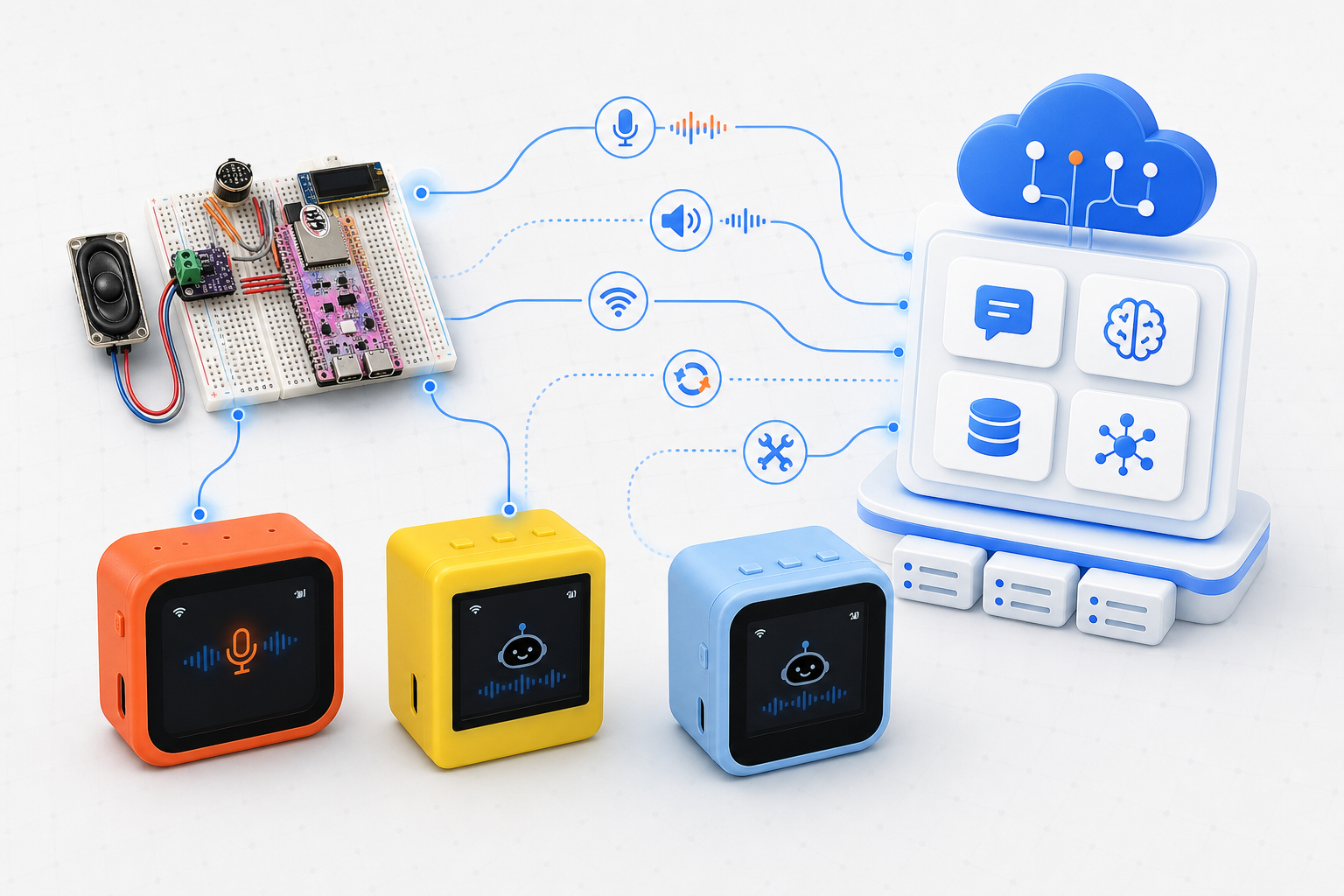
Supported ESP32-S3 devices connect to Assistant Core through realtime voice, OTA configuration, and control paths.
What Makes Up a Device?
A device usually includes:
| Part | Role |
|---|---|
| Firmware | Runs on ESP32 or compatible hardware, handling audio, display, buttons, and network connectivity |
| Device details | Name, MAC address, board, firmware version, connected assistant, and online status |
| Voice session | Realtime conversation between the device and assistant |
| Device tools | Capabilities the assistant can call, such as changing LED color, reading sensors, or controlling hardware |
| Custom interface | Fonts, emoji, chat backgrounds, and wake words packaged as assets.bin for display devices |
Connection Architecture
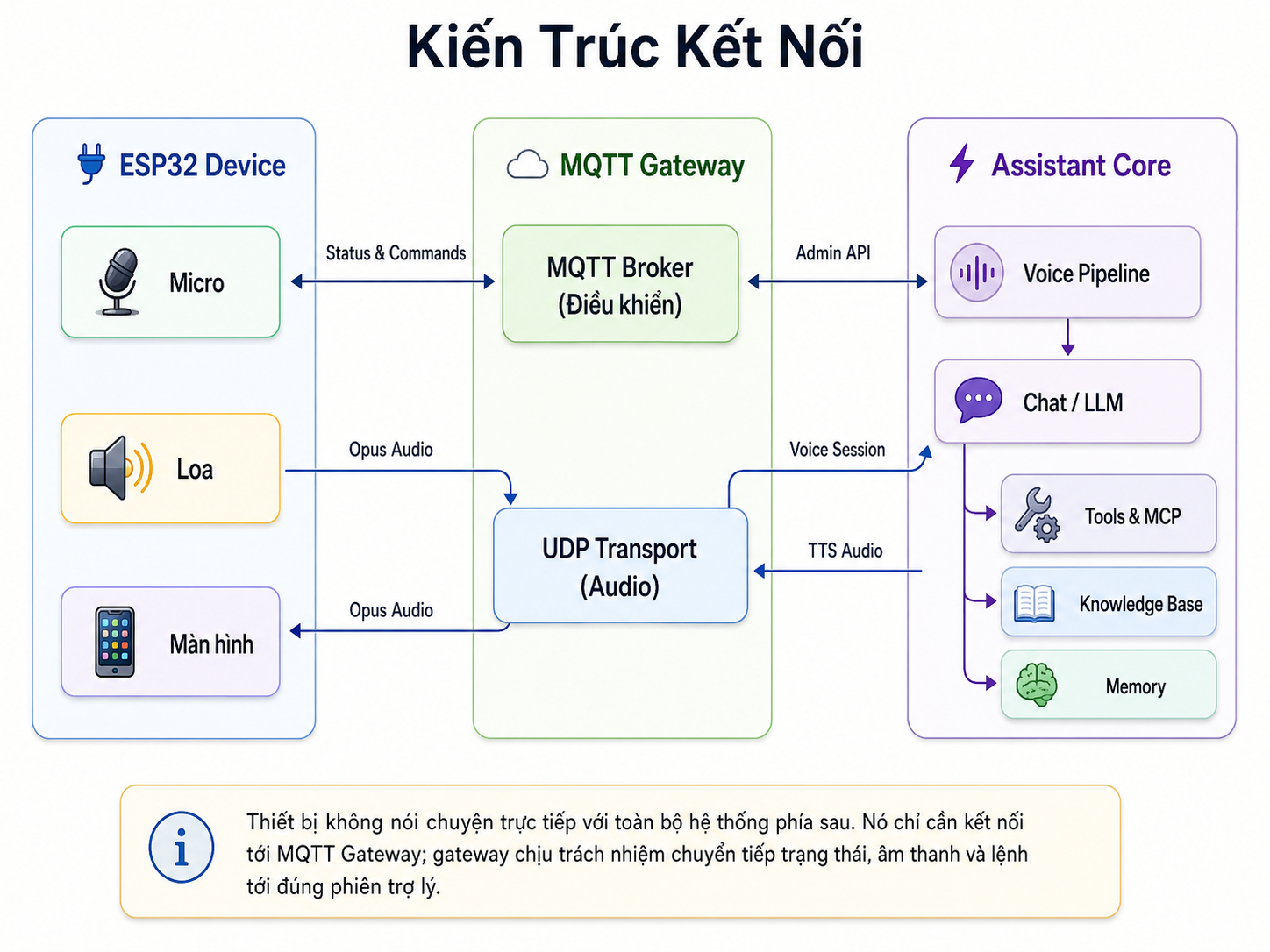
Device connection architecture via MQTT Gateway to Assistant Core.
Devices do not talk directly to the entire backend system. The firmware only needs to connect to the MQTT Gateway; the gateway is responsible for forwarding status, audio, and commands to the correct assistant session.
Assistant Core handles the assistant routing, model orchestration, memory, knowledge retrieval, and tool dispatch behind these three integration paths:
| Path | What it carries |
|---|---|
| OTA configuration | Activation state, assistant connection details, system time, and firmware metadata |
| Realtime voice | Opus audio from the microphone to Assistant Core and response audio from the voice session back to the speaker |
| Control channel | Online status, commands, and device tools exposed by firmware |
Device Lifecycle
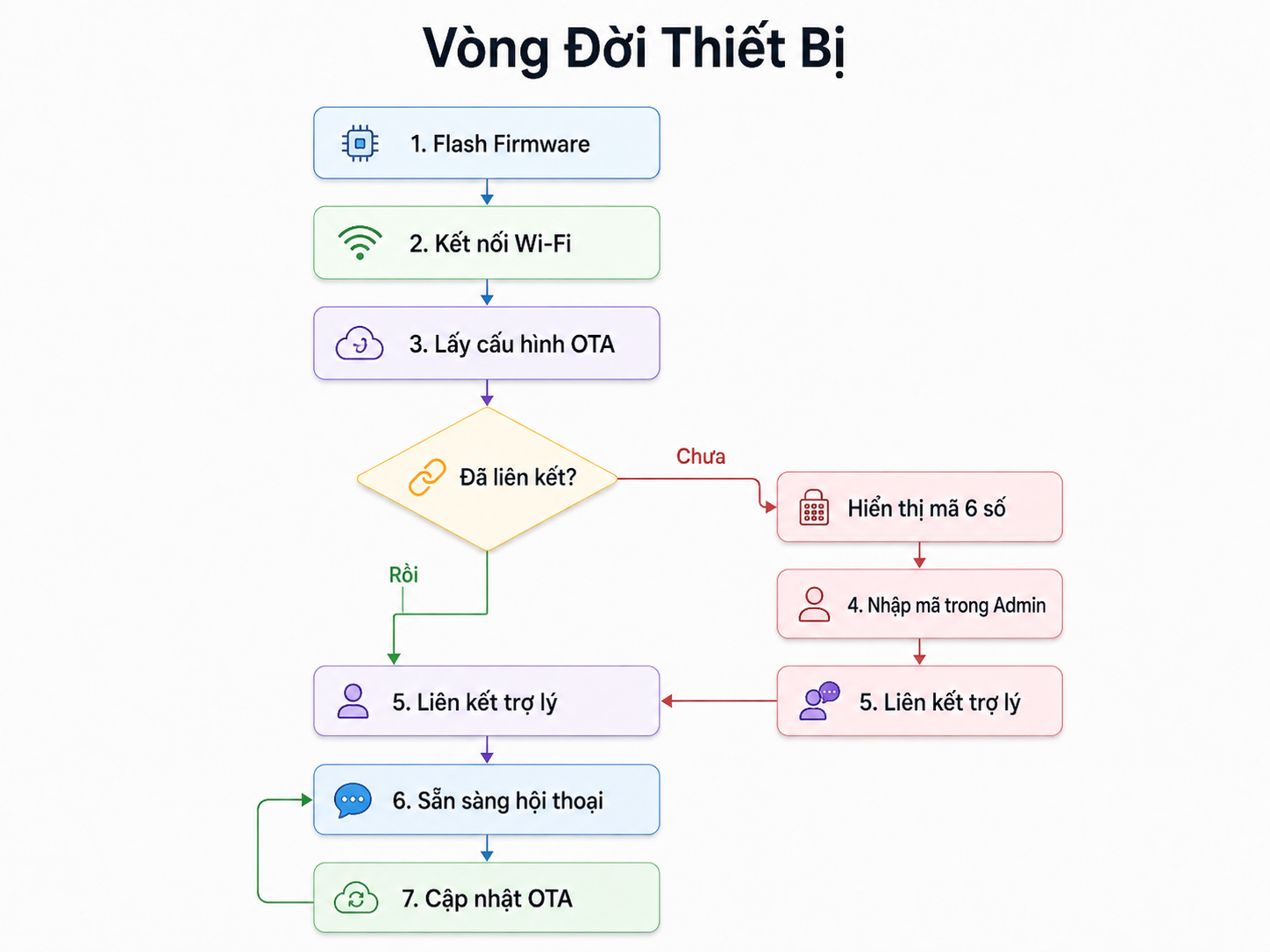
The complete lifecycle of a device from flashing firmware to active voice conversation.
A device starts by fetching OTA configuration from the platform. If it is not bound yet, it shows an activation code that you can enter in the dashboard. After binding, the device can start voice sessions, receive assistant replies, expose device tools, and continue checking for OTA updates without being re-flashed.
What Do You Want To Do?
| Need | Page |
|---|---|
| Point firmware at your server (OTA URL) | Configure OTA URL |
| Flash firmware to a new device | Flash Firmware |
| Add a new hardware device | Register a Device |
| Update firmware remotely | Firmware Updates OTA |
| Customize fonts, emoji, backgrounds, and wake words | Custom Assets |
| View supported hardware | Supported Devices |
| Flash custom firmware (.bin) | Custom Flash |
| Let the assistant call device capabilities | Device Tools |
If you only want to connect an ESP32 and talk to your assistant, start with Flash Firmware then Register a Device.